B2B
0-1
AI Workflow
Node-Based UI
Designed a mortgage automation
platform that scaled loan processing
from $500M to $800M per quarter
My Role
As the founding designer, I drove the product from concept to a fully functional web app, shaping both the user experience and the visual foundation.
Team
CTO, Engineer*2, Sales Lead, Cofounder (business operations), Loan Processor
Timeline
4 months (16 weeks)
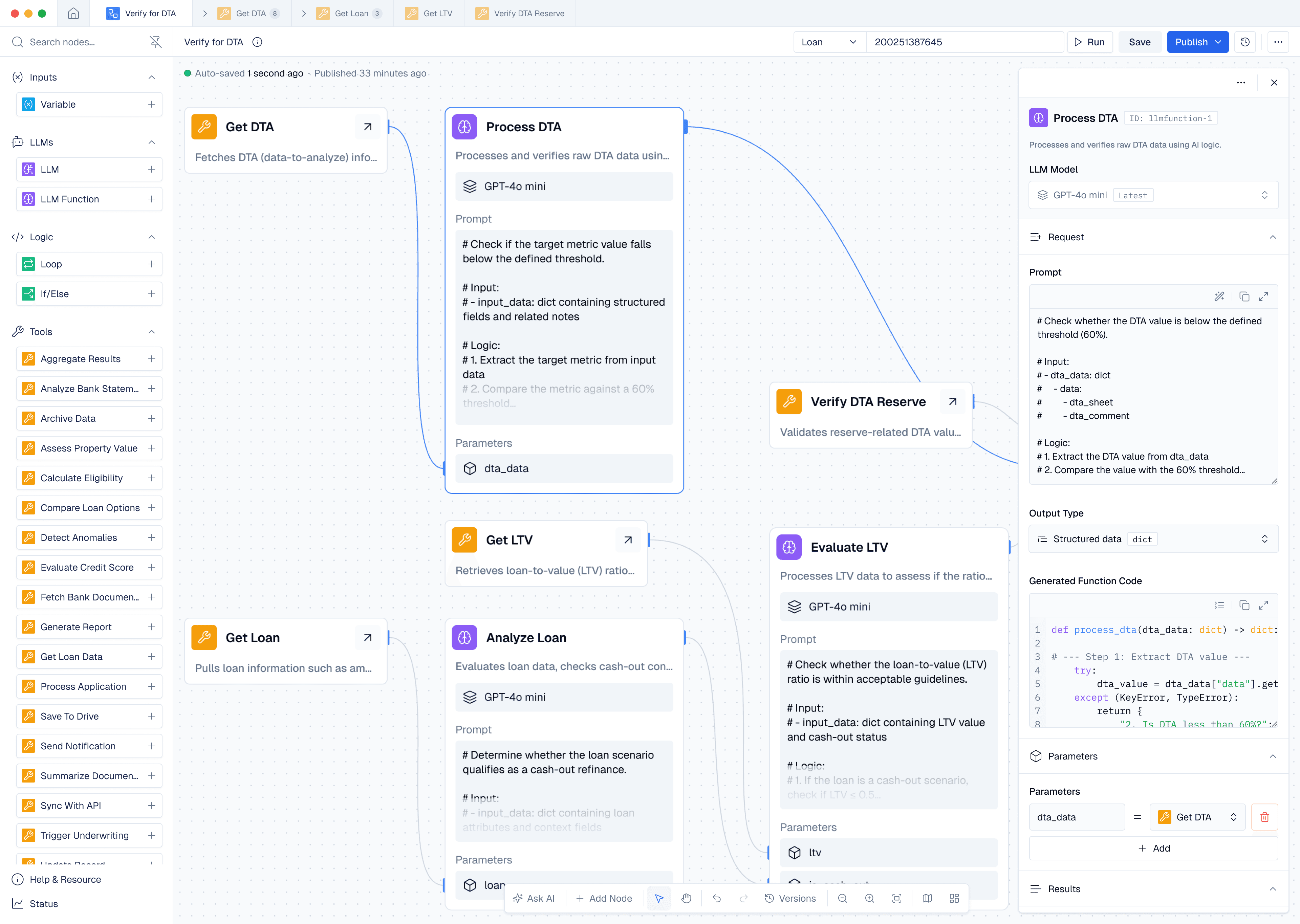
About
Improving LoyolaAI’s workflow management and edit platform
Every loan involves dozens of documents and data checks. Loyola AI automates these workflows directly inside lenders’ LOS platforms.








Support teams were buried under repetitive client issues
The Challenges
No Unified UI,
Reliance on Manual Support
Slow onboarding
Up to 2 hours per client seat
High support load
Frequent requests for basic operations
Limited scalability
Slow and costly to add new workflows
Impact
Unified Web App,
Self-Service Enabled
Faster onboarding
Setup time reduced to under 30 minutes
Lower support load
Basic activation requests dropped by ~80%
Greater scalability
Enabled phased launches and easier workflow expansion
My Process
Agile 3-Step Design Cycle for Every Phase
1
Understand & Define
Understand needs of users and company, establish phase goals and core user flows.
2
Prototype & Validate
Quickly build and test MVPs through continuous feedback from users and engineers.
3
Refine & Deliver
Refine UI, improve consistency, and finalize scalable solutions.
Research Insights
Two User Types within the Workflow Platform

Workflow Operators
Loan processors, underwriters, and managers who toggle automation workflows on/off to streamline daily tasks.
Simple and guided workflow management
Complete daily tasks efficiently

Workflow Builders
Technical staff who design custom workflows by connecting nodes, extending beyond pre-set workflows.
Scalable and flexible tools
Create and test complex automations
Phase 1
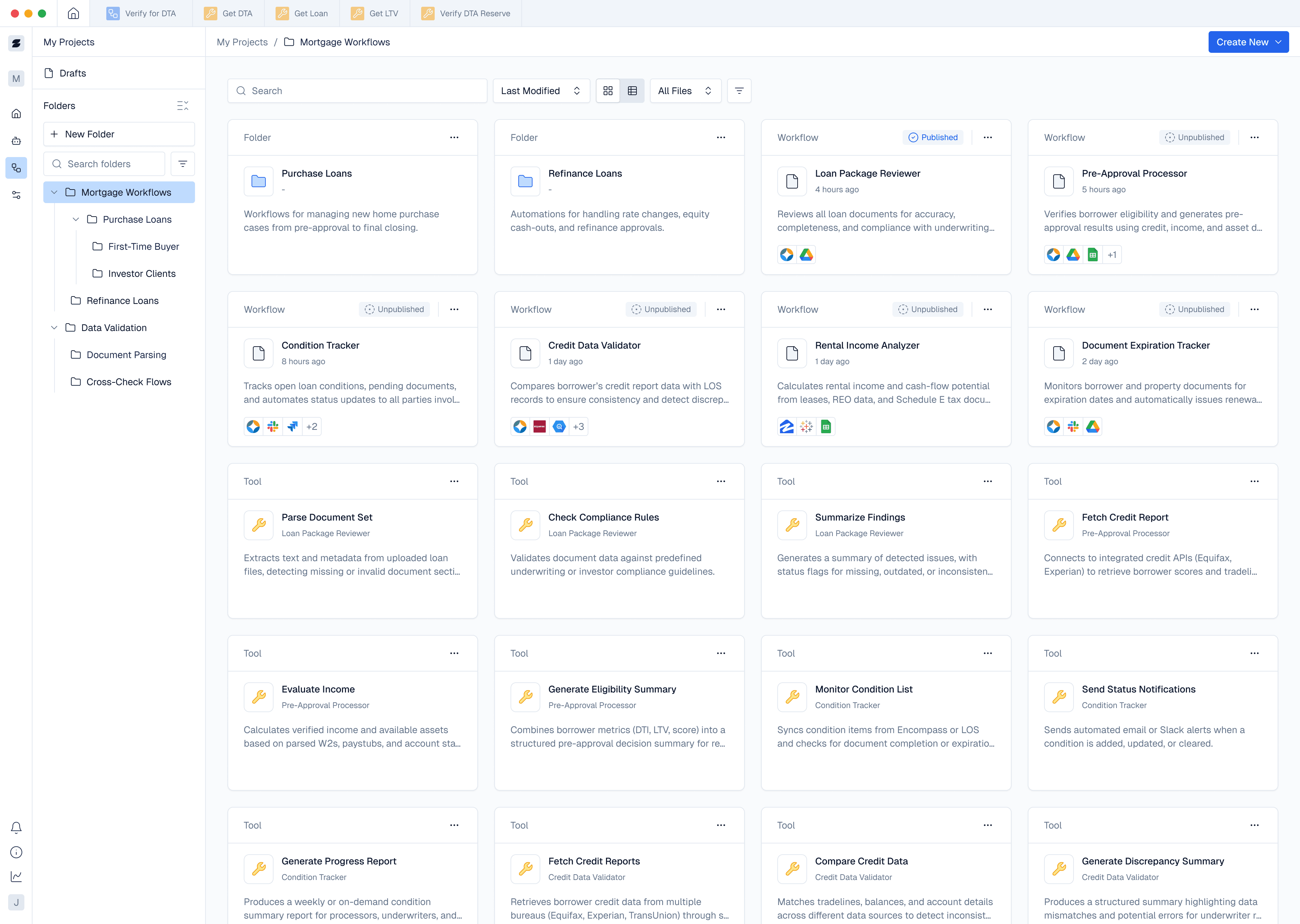
Workflows Page
Enabling Easy Self-Service
for Workflow Operators
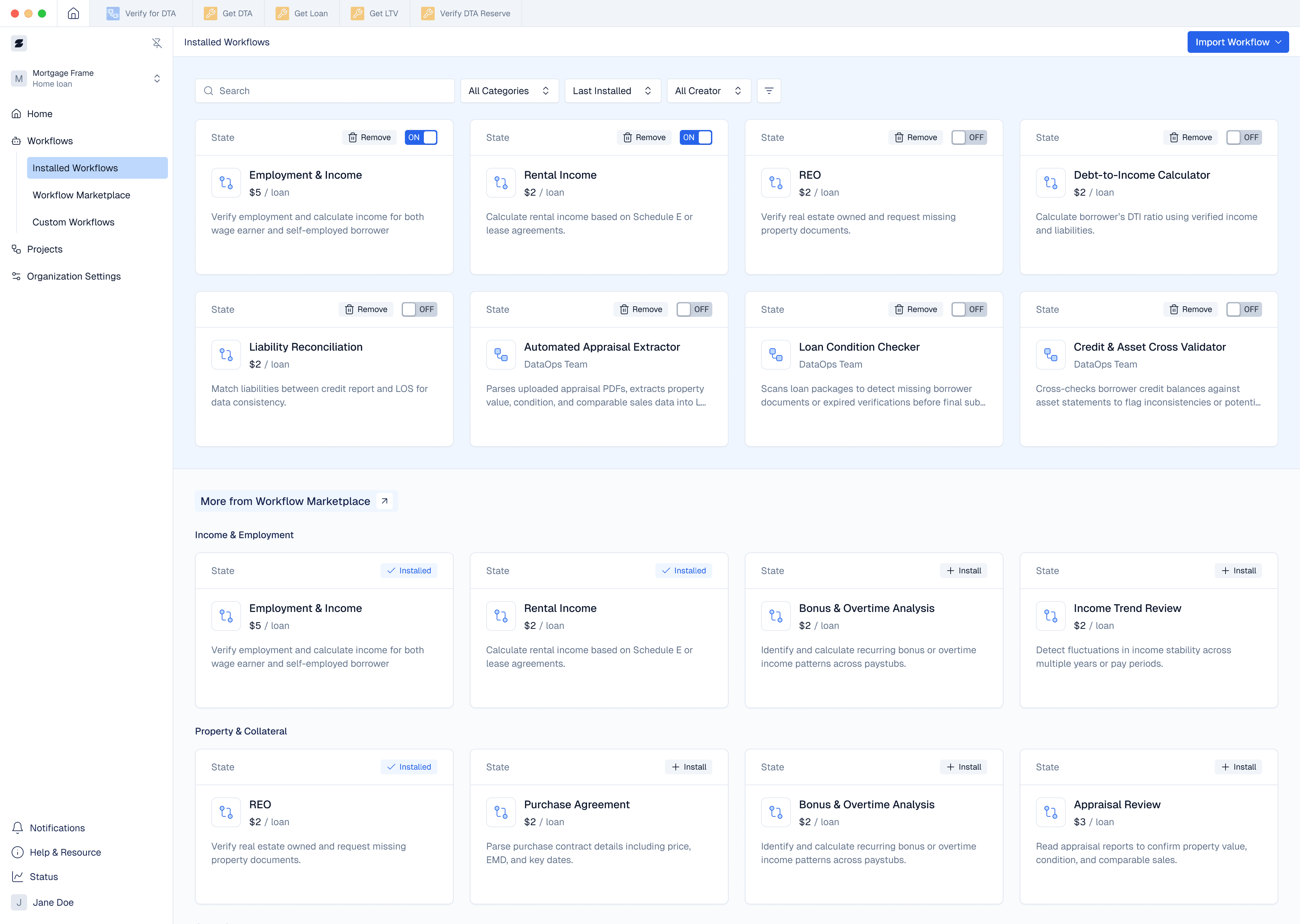
Approach 1
Two page layout
Good for lightweight workloads
Frequent page switching for larger workflow sets
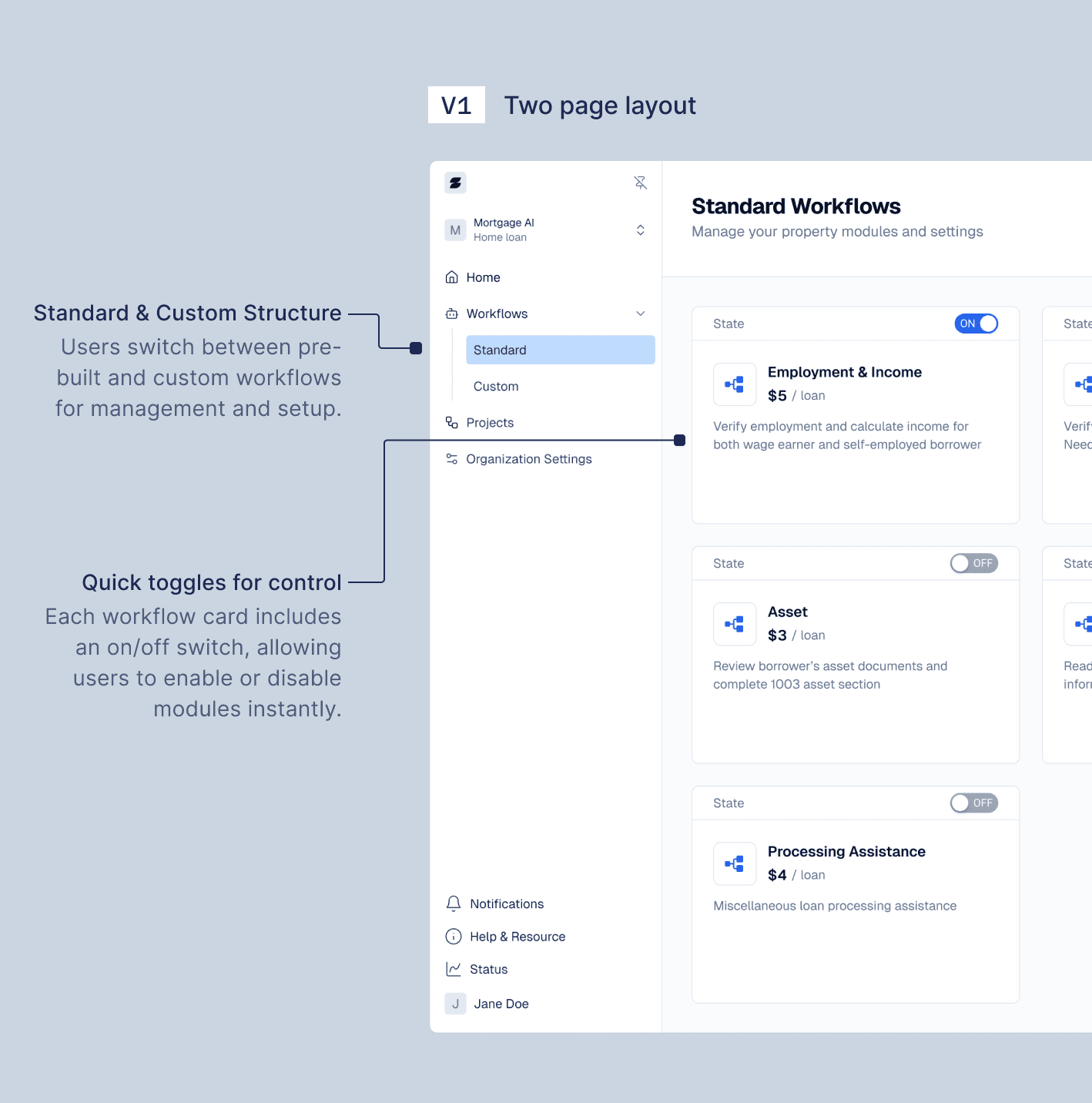
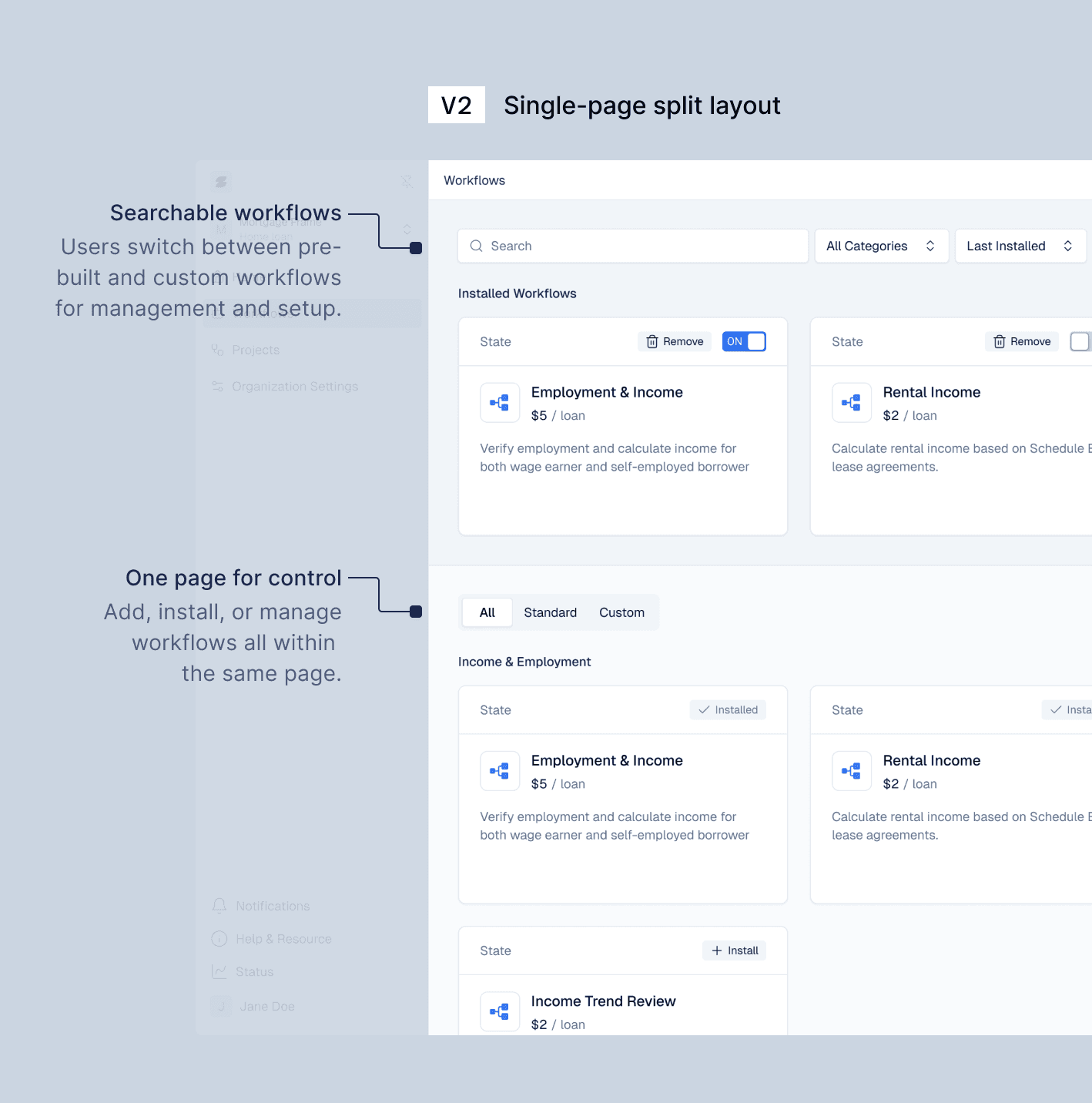
Approach 2
Single-page split layout
Unified entry point with search
Heavy scrolling as installed workflows increased
Final Approach
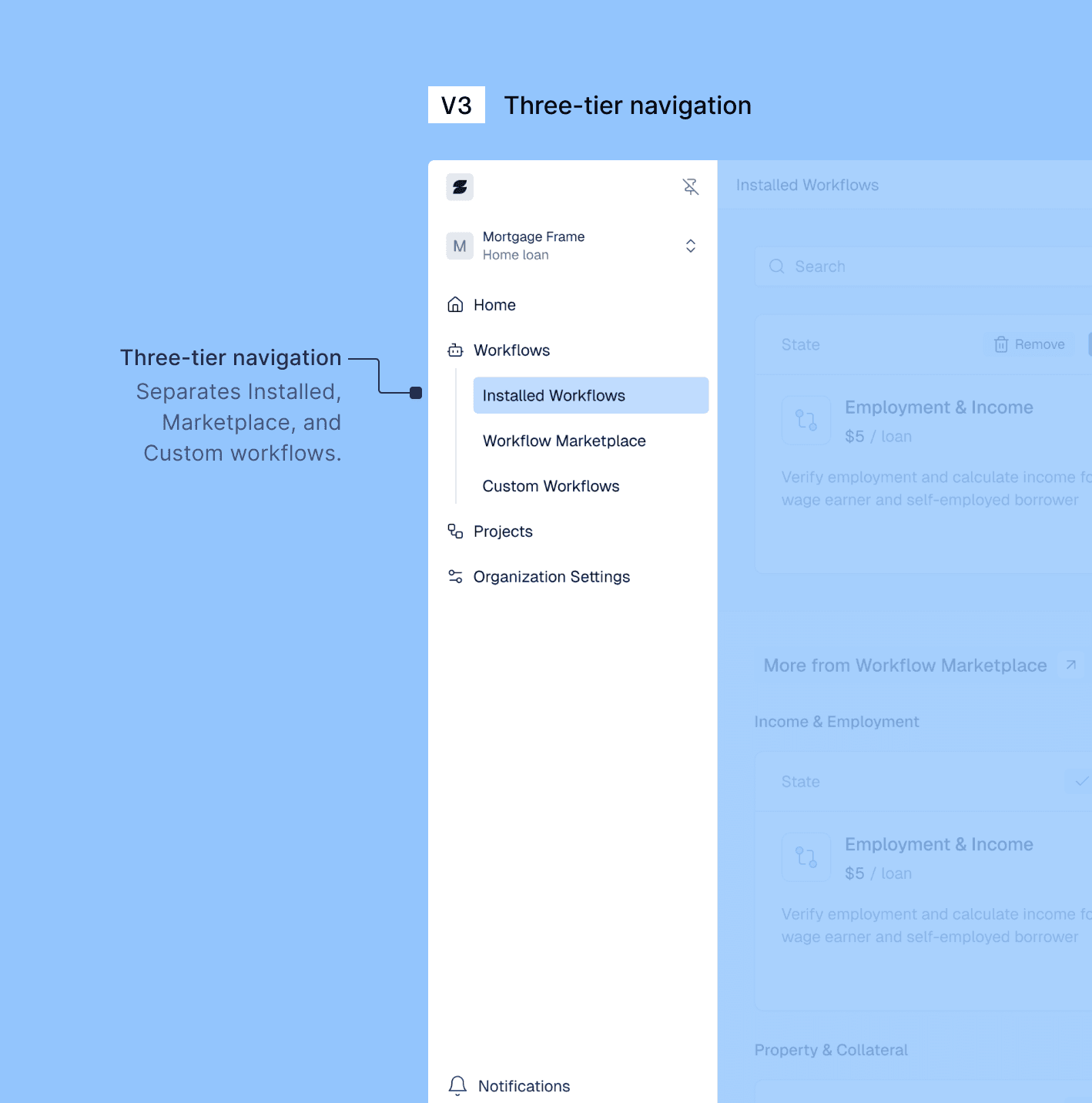
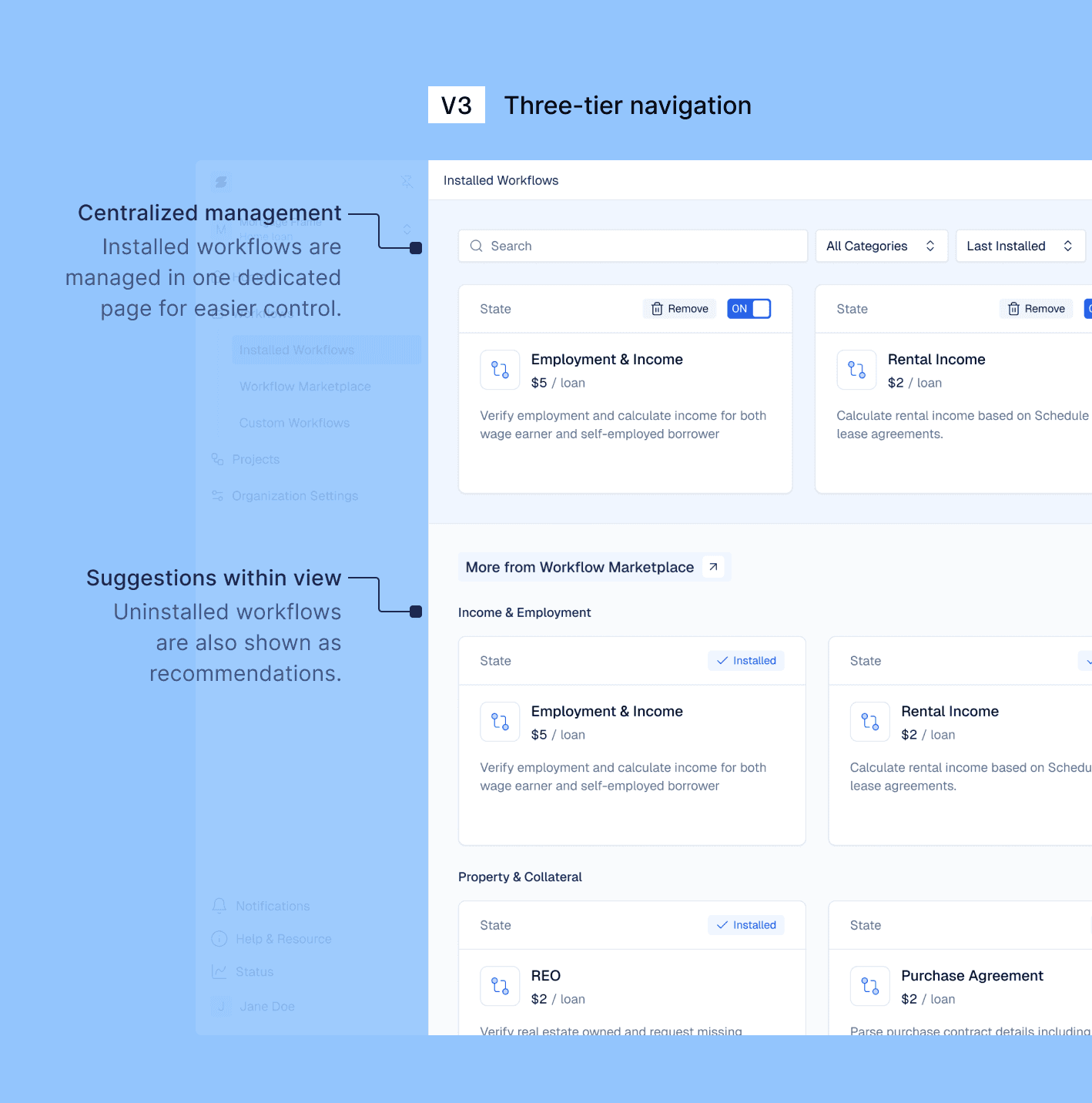
Three-tier navigation
Decoupled management and discovery pages
Supported multiple user roles and scalable structure
Phase 2
Workflow Editor
Empowering Workflow Builders
with Custom Editing
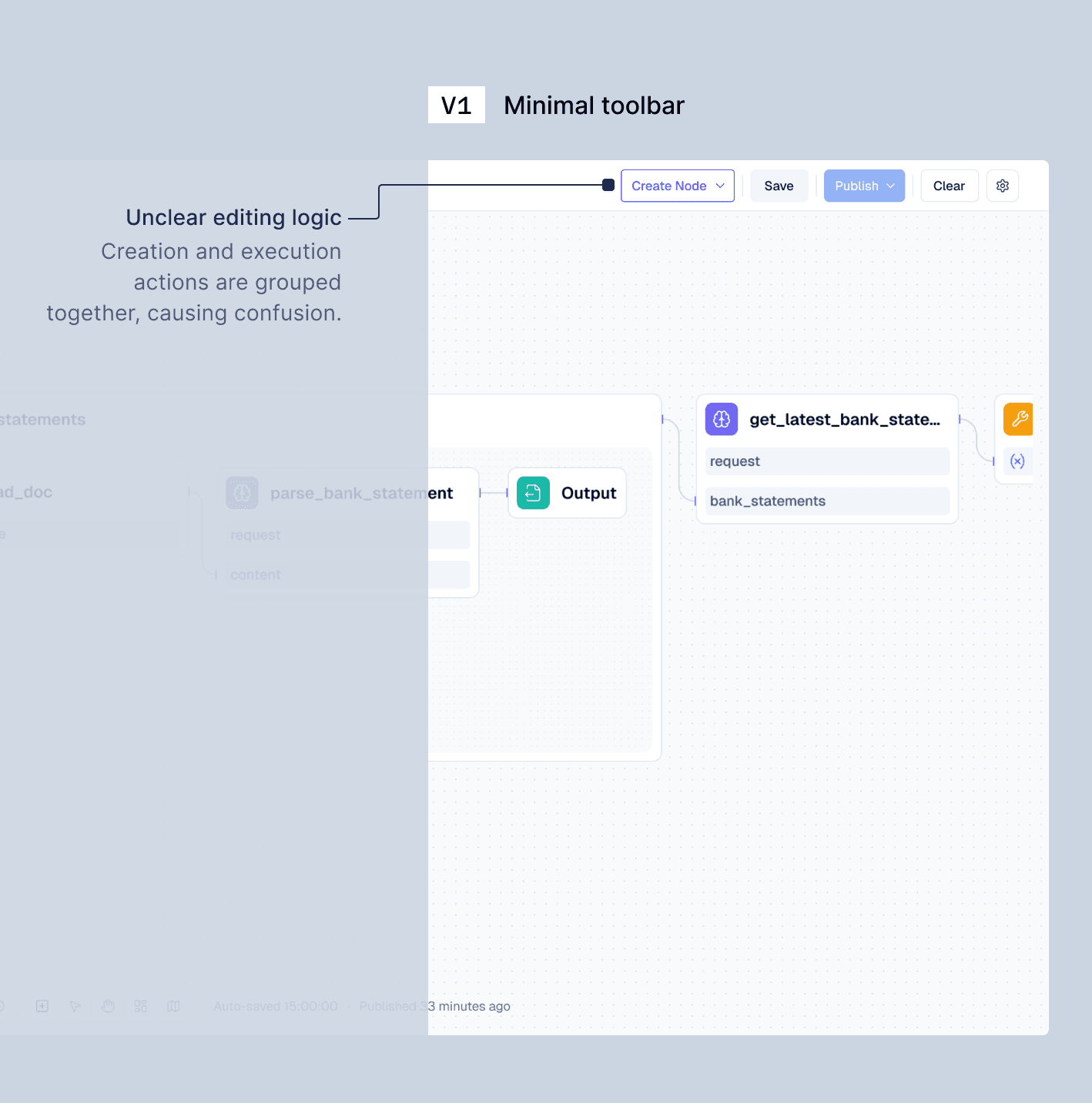
Approach 1
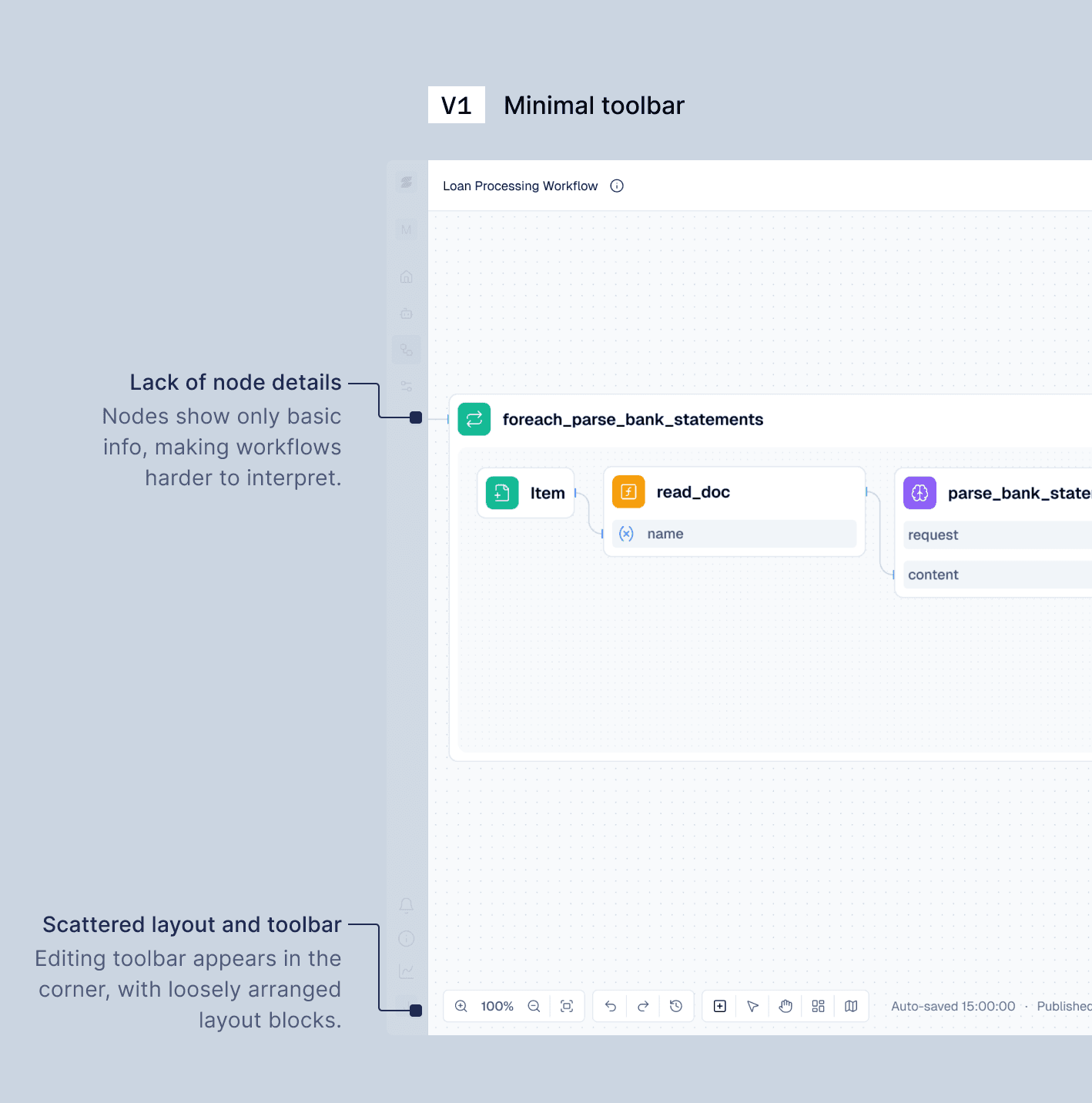
Minimal toolbar
Fast to develop
Scattered actions, unclear logic, hard to debug
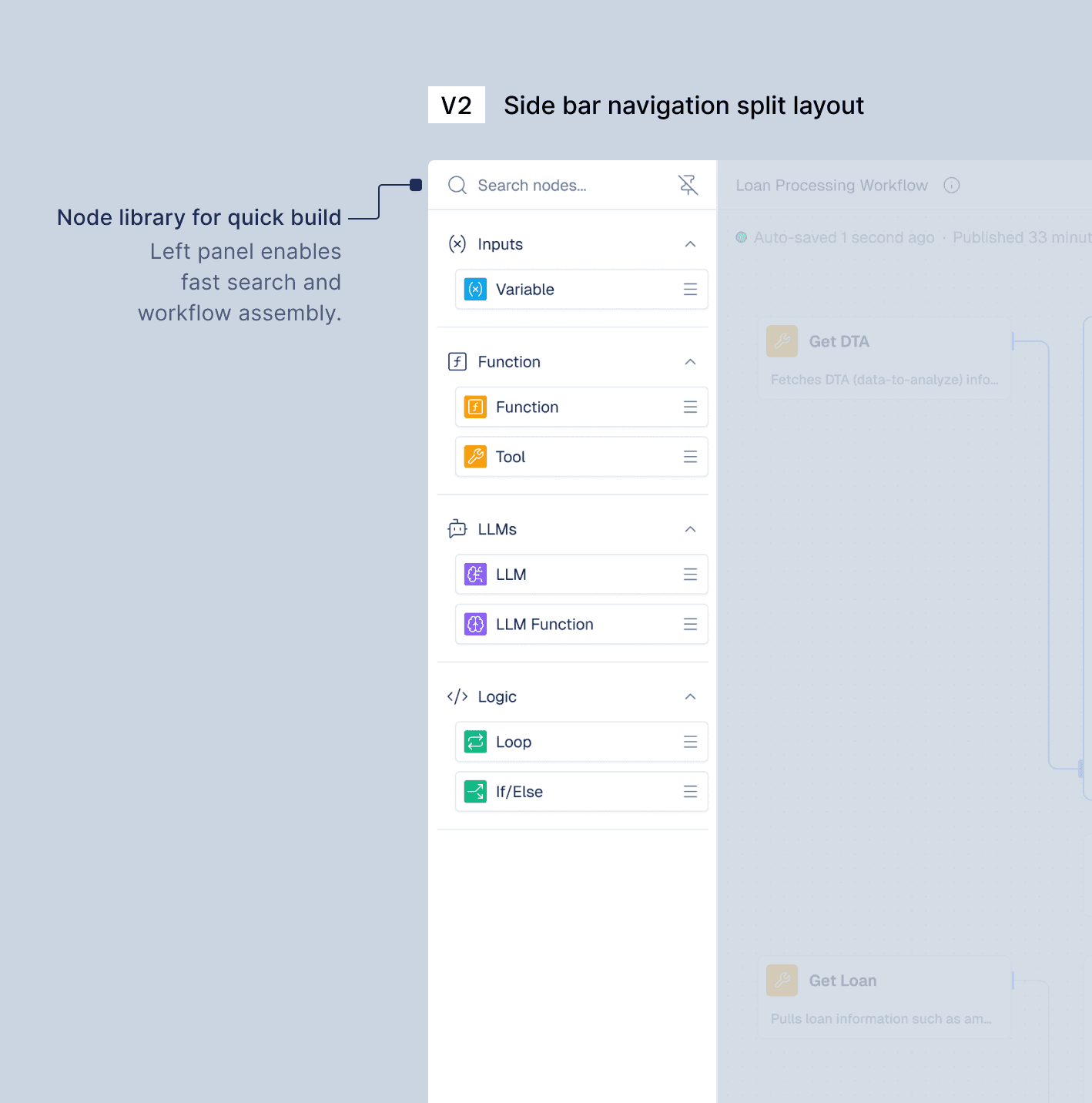
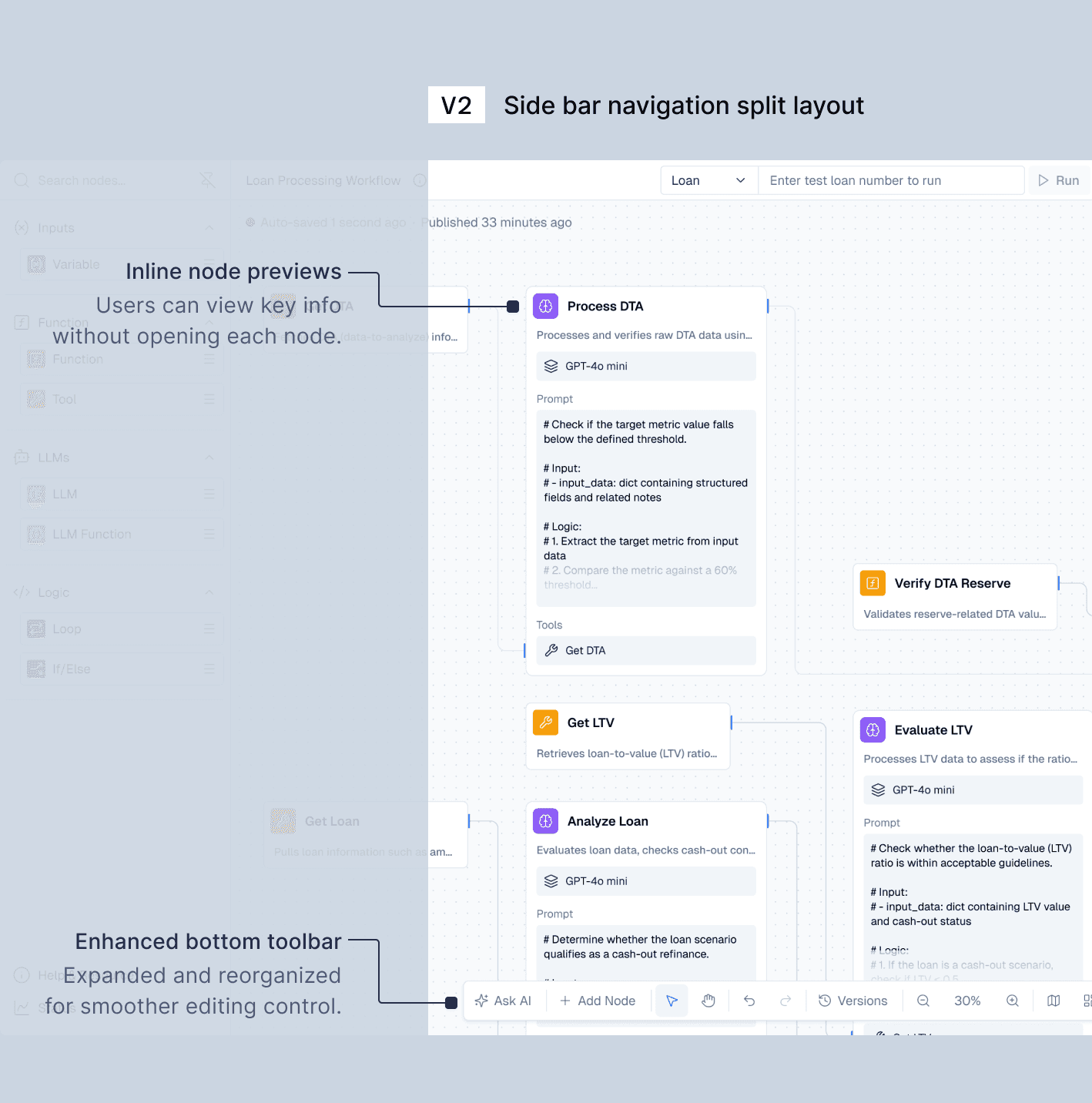
Approach 2
Template + New Layout
Left panel node library, bottom toolbar, inline previews
Tool node setup still complex; nested paths unclear
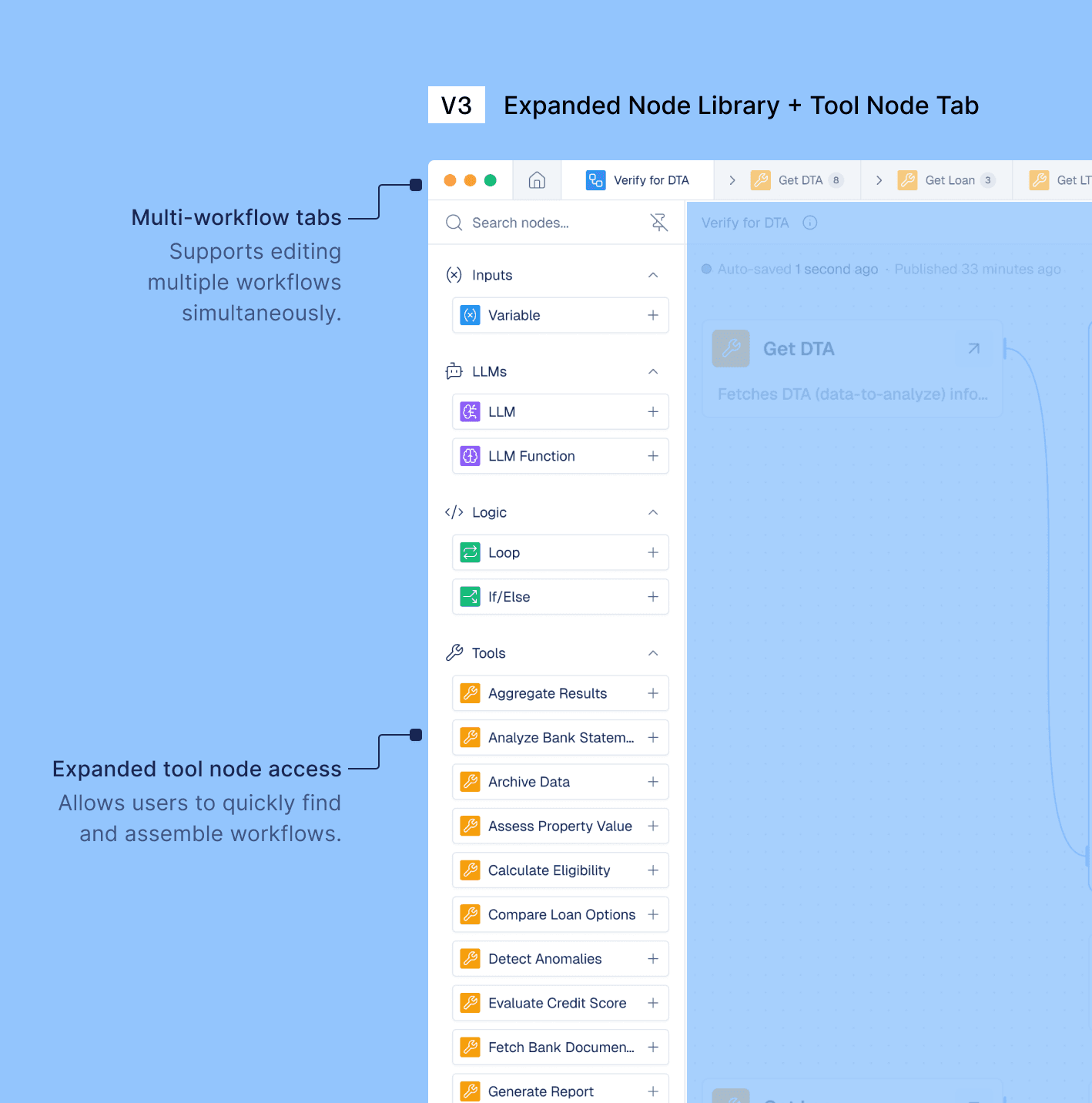
Final Approach
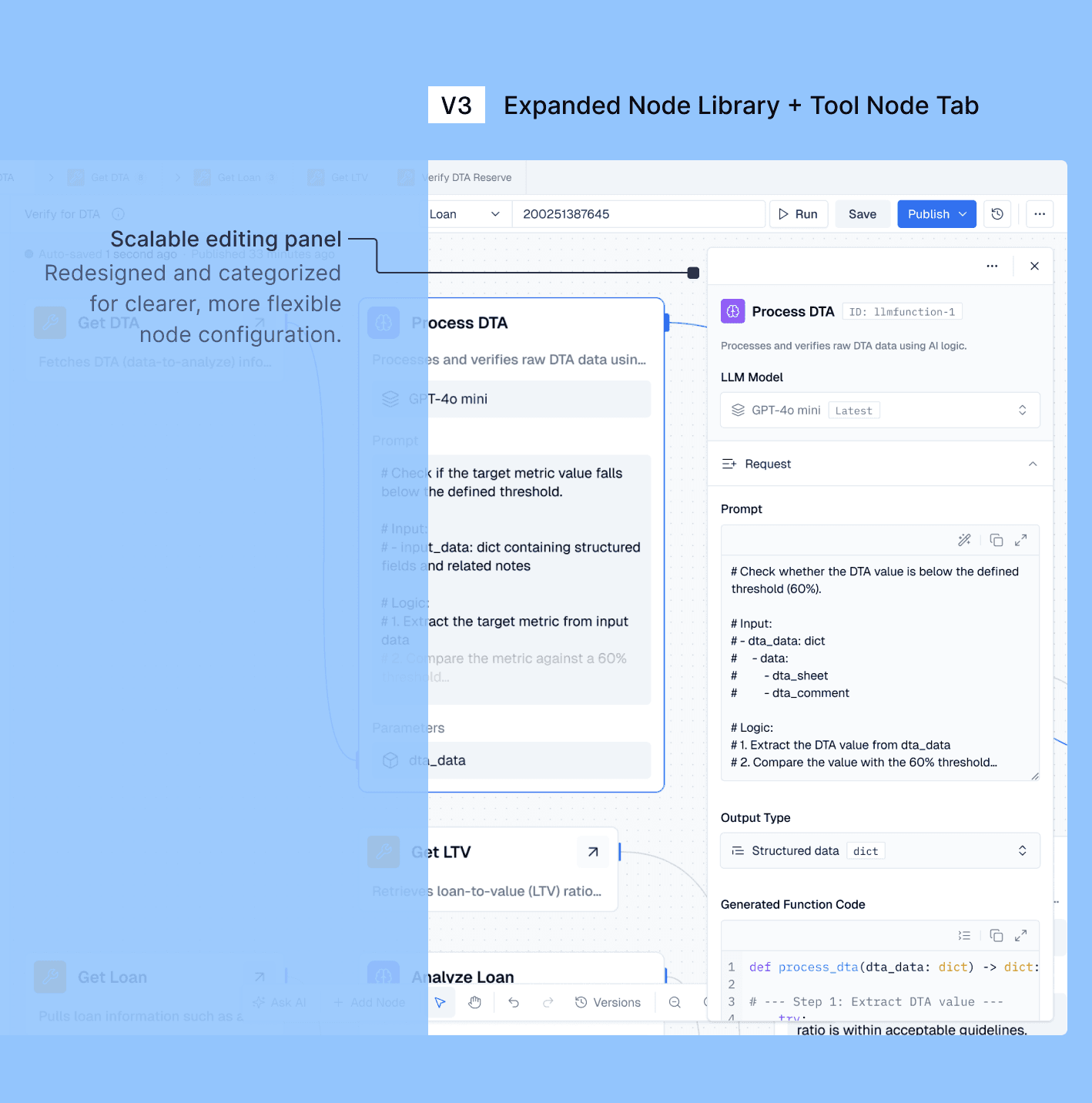
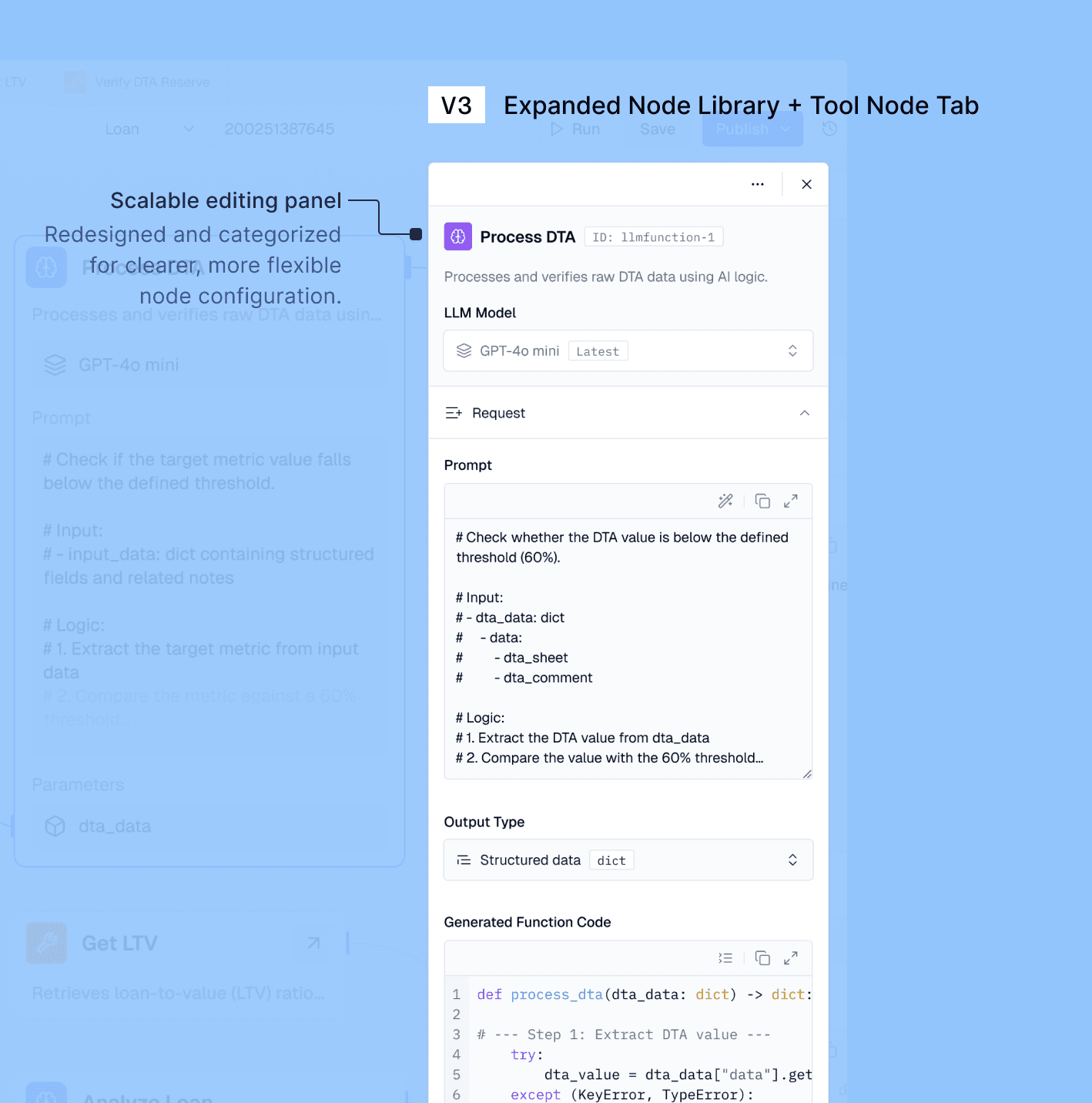
Expanded Node Library + Tabbed Editing
Searchable node list
Tab-based tool node editing
Scalable editing panel design
Phase 3
Project Page
Clarifying Workflow Hierarchy
for Workflow Builders
Approach 1
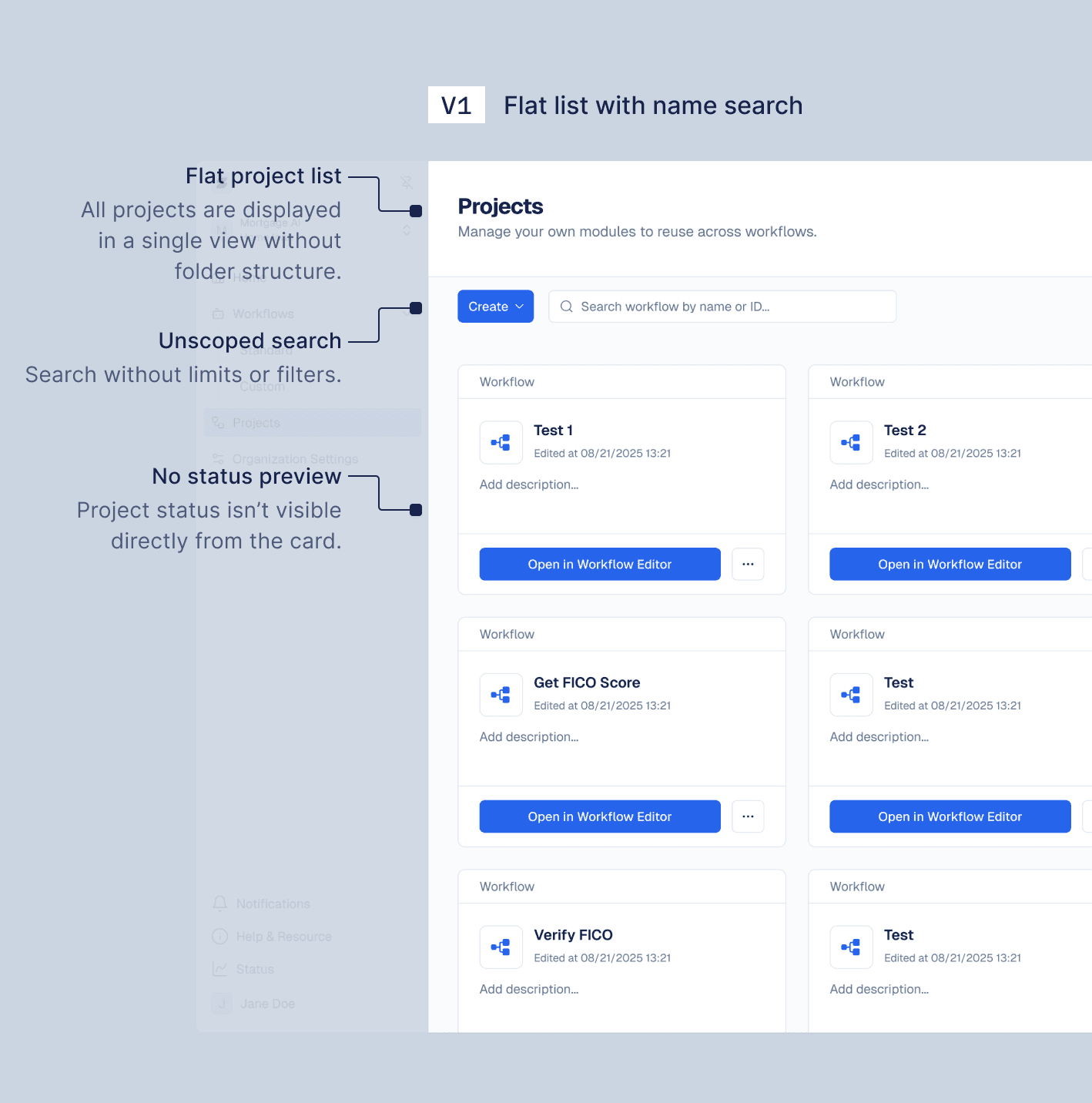
Flat list with name search
No hierarchy
Manageable only for fewer than five workflow projects
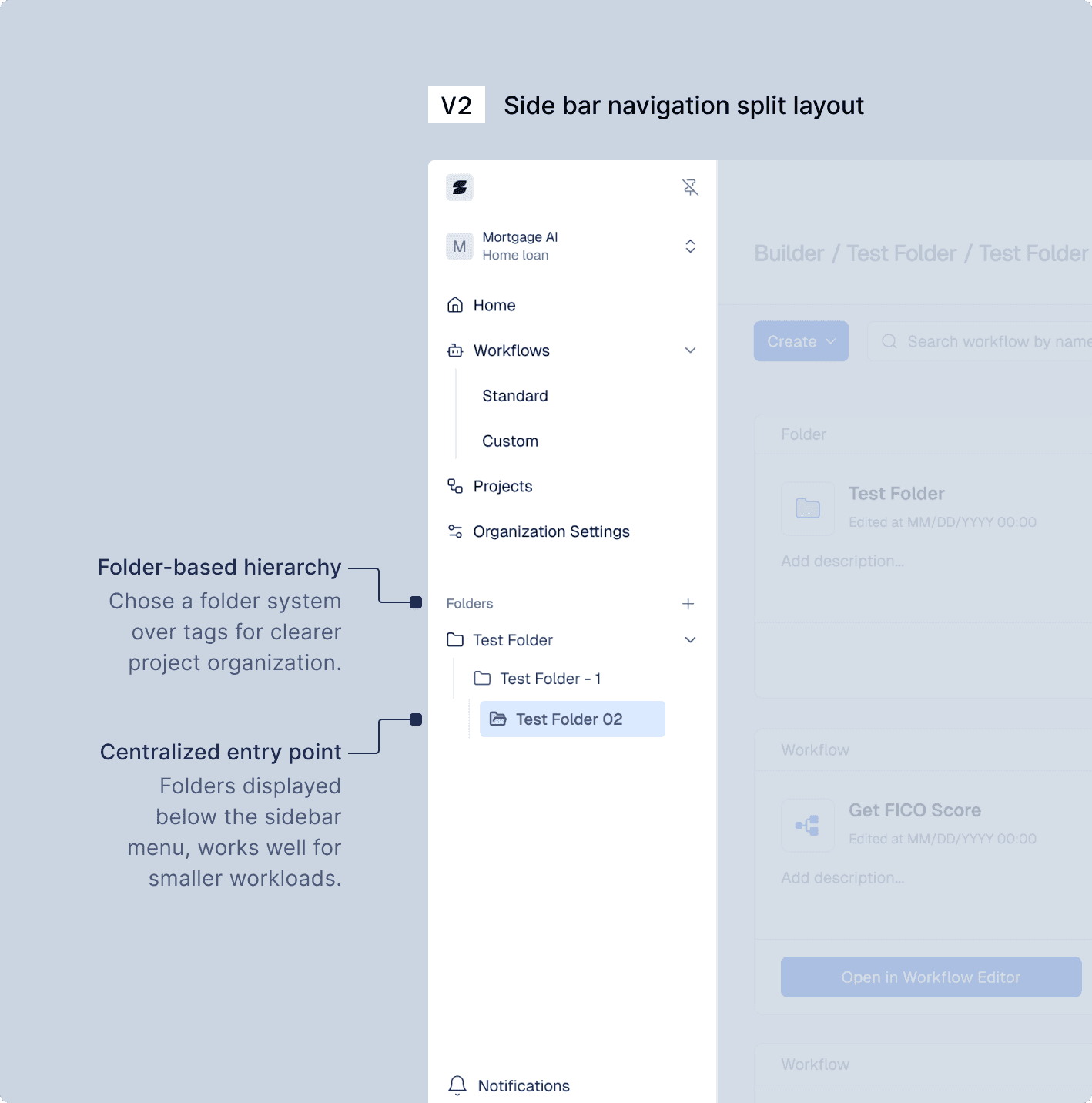
Approach 2
Side bar navigation split layout
Chose a folder system for better hierarchical management
Centralized entry, suitable for small workloads
Required long scrolling and blurred hierarchy with the global menu
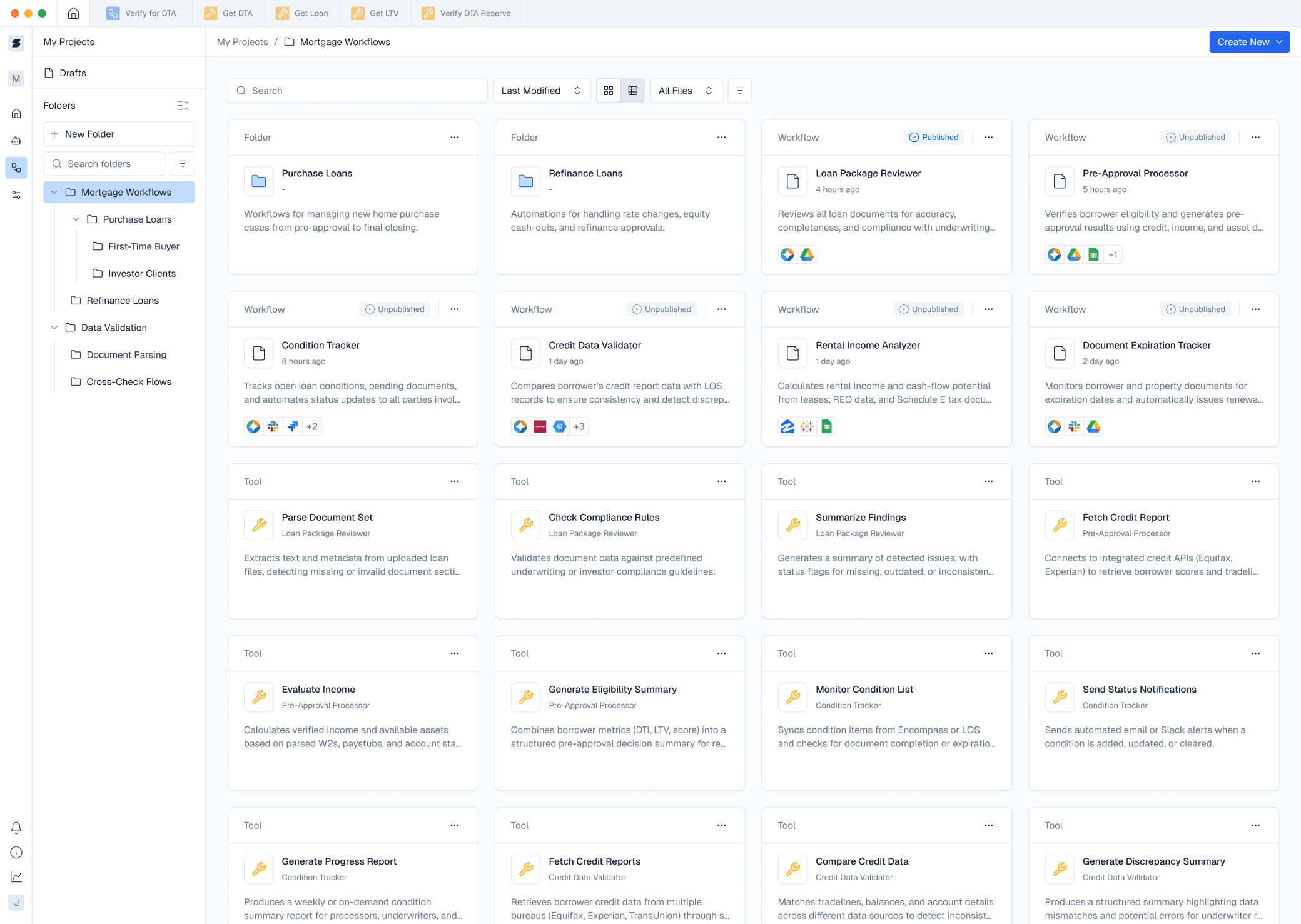
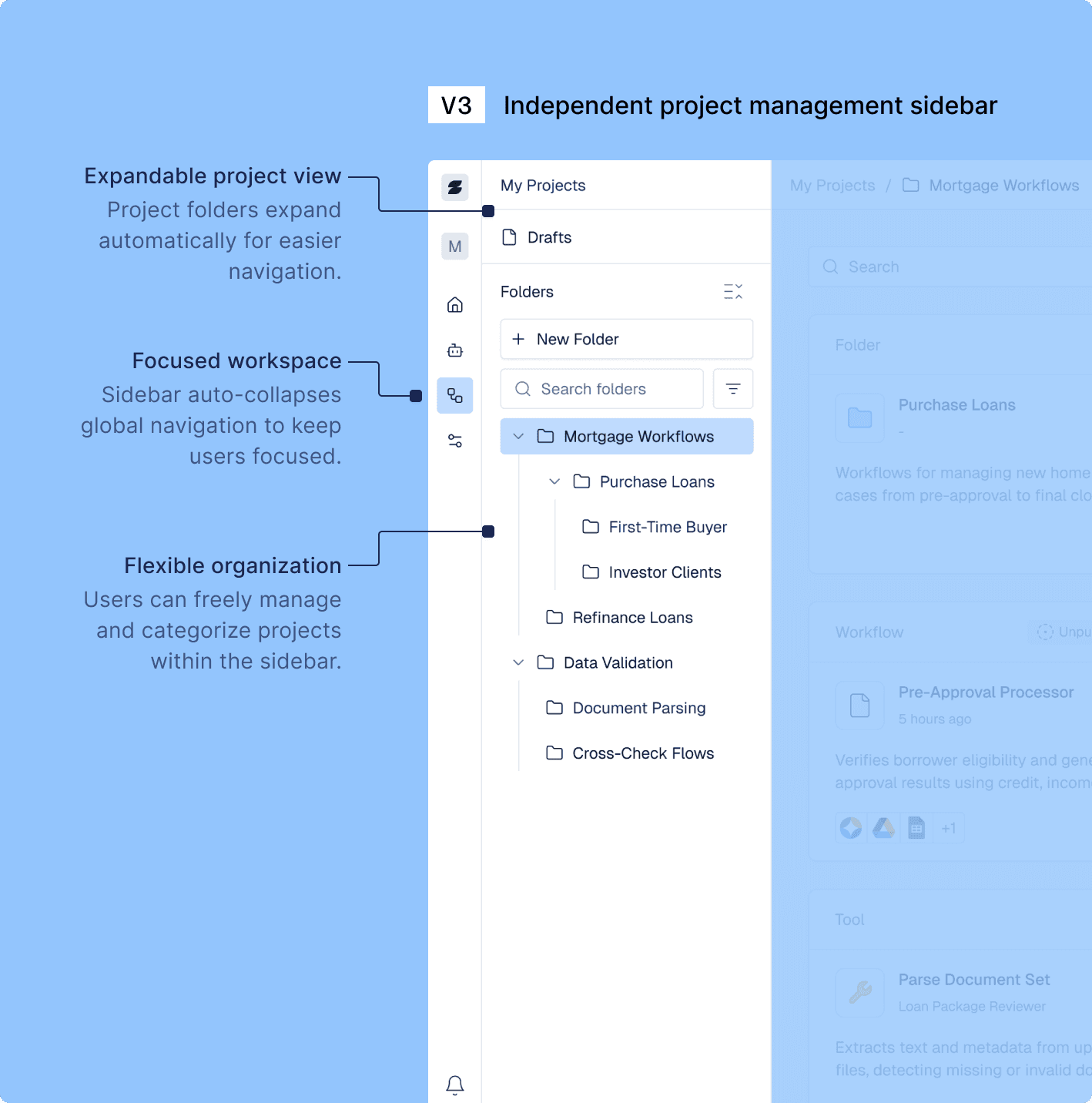
Final Approach
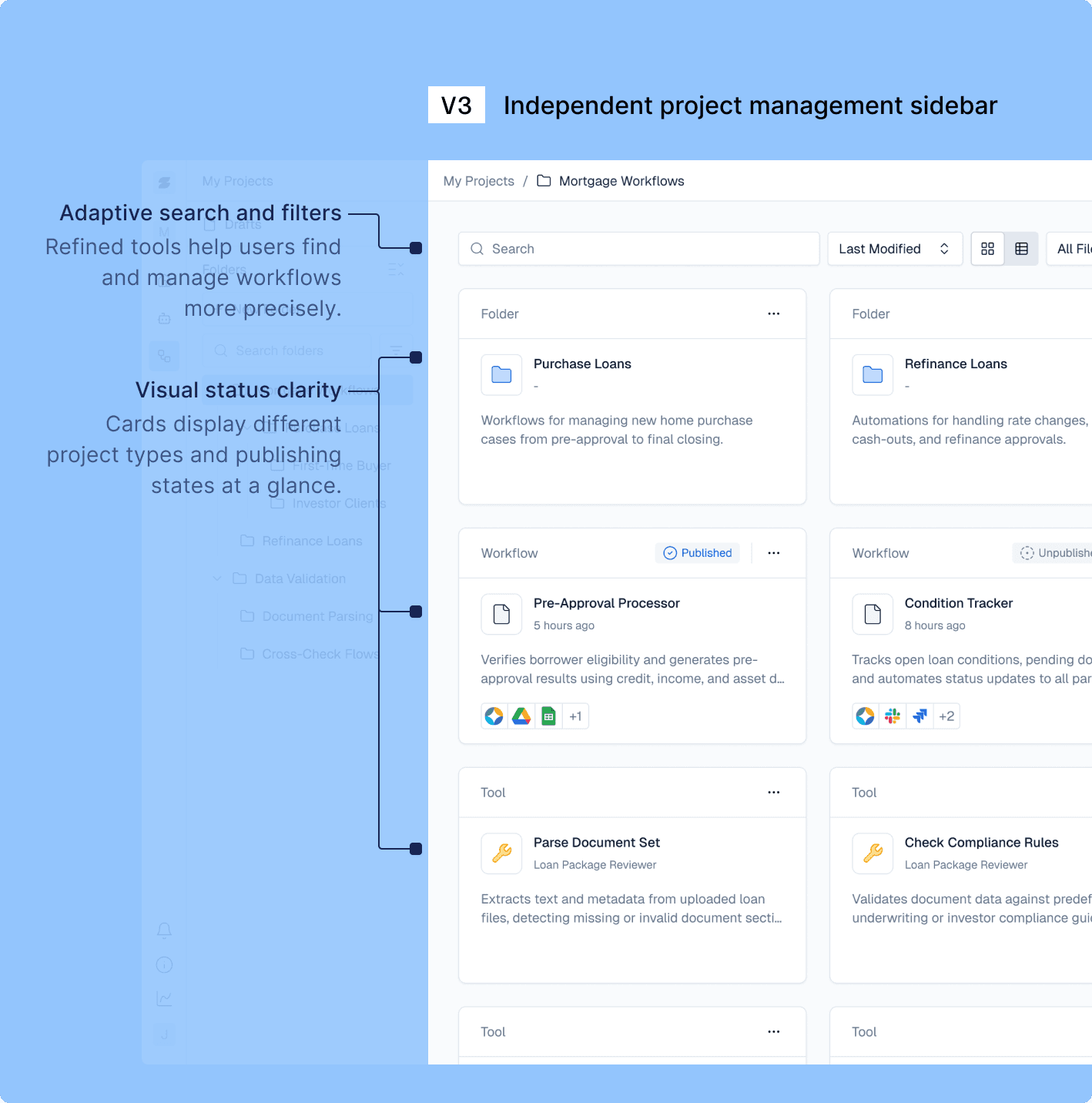
Independent project management sidebar
Clear structure and adaptive search
Sidebar auto-collapses global navigation for focus
Supports nested folders, filtering, and state visibility
Reflections
Design Challenges &
My Approaches
Designing for Scalability
I aligned design decisions with the product roadmap, ensuring scalability through early testing and domain understanding.
Shifting primary user
I began by validating flowcharts for both admin and technical users to cover all scenarios before wireframes design.
Node-based workflow
I collaborated with engineers to map node logic and explored AI-assisted prototypes to simplify nested structures